Document Hub
Your CC&Rs and bylaws, searchable, editable, and always current
Your CC&Rs shouldn't be scattered across outdated PDFs and old email threads. HOA Hub transforms them into a living document — every amendment applied, every version tracked, every question answerable.
Text Conversion & Editing
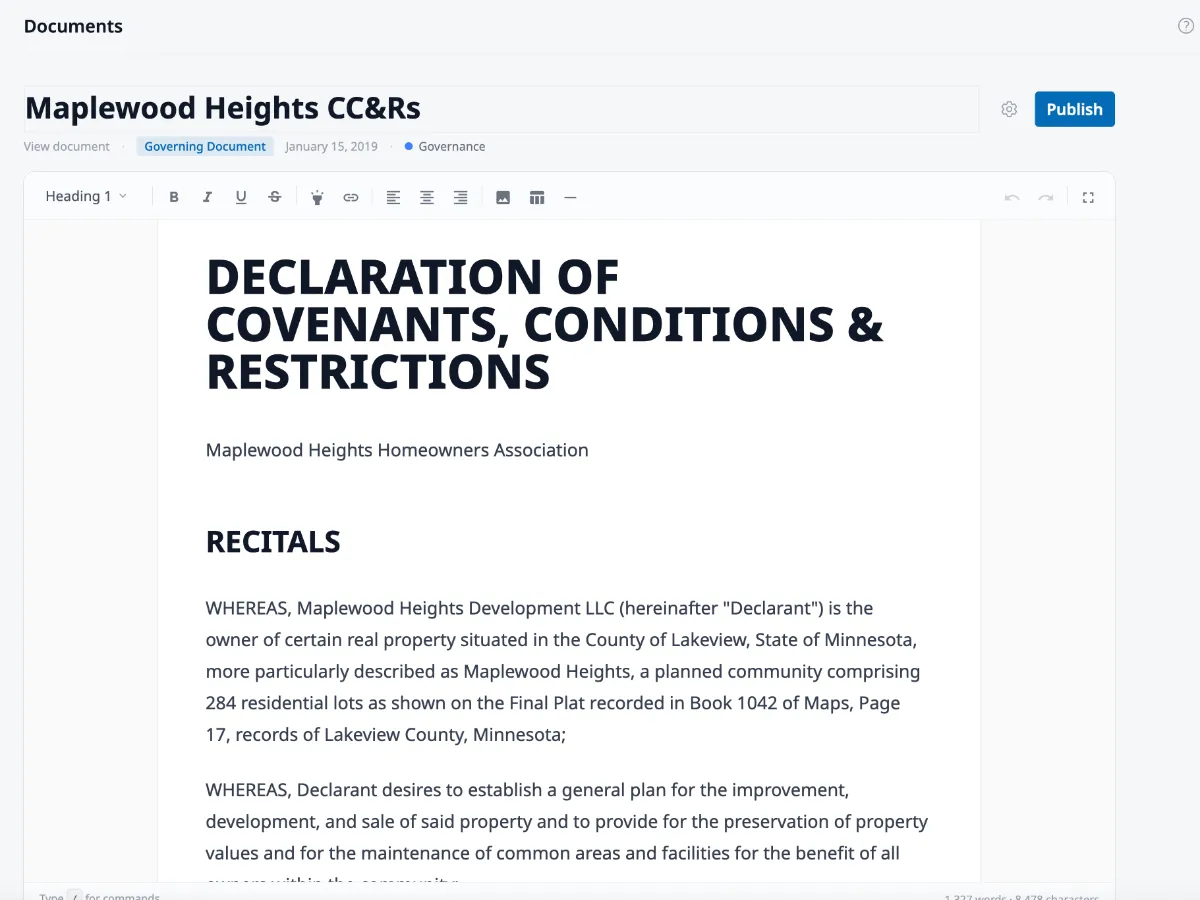
Upload a scanned PDF from 1987. Get an editable document.
No transcription. No copy-paste. HOA Hub converts your uploaded PDF — including old, scanned originals — into clean, editable text and presents it in a full-featured document editor. From there, it's live: searchable, editable, and ready to share with your community.
- AI text conversion — scanned PDFs become editable documents automatically, no manual work required
- Full-featured editor — formatting toolbar, slash commands, table support, and fullscreen focus mode — not a basic textarea
- Original PDF preserved — the source file stays attached, so you always have the official record alongside the editable version
Amendment Tracking
Amendment tracking that takes minutes, not meetings
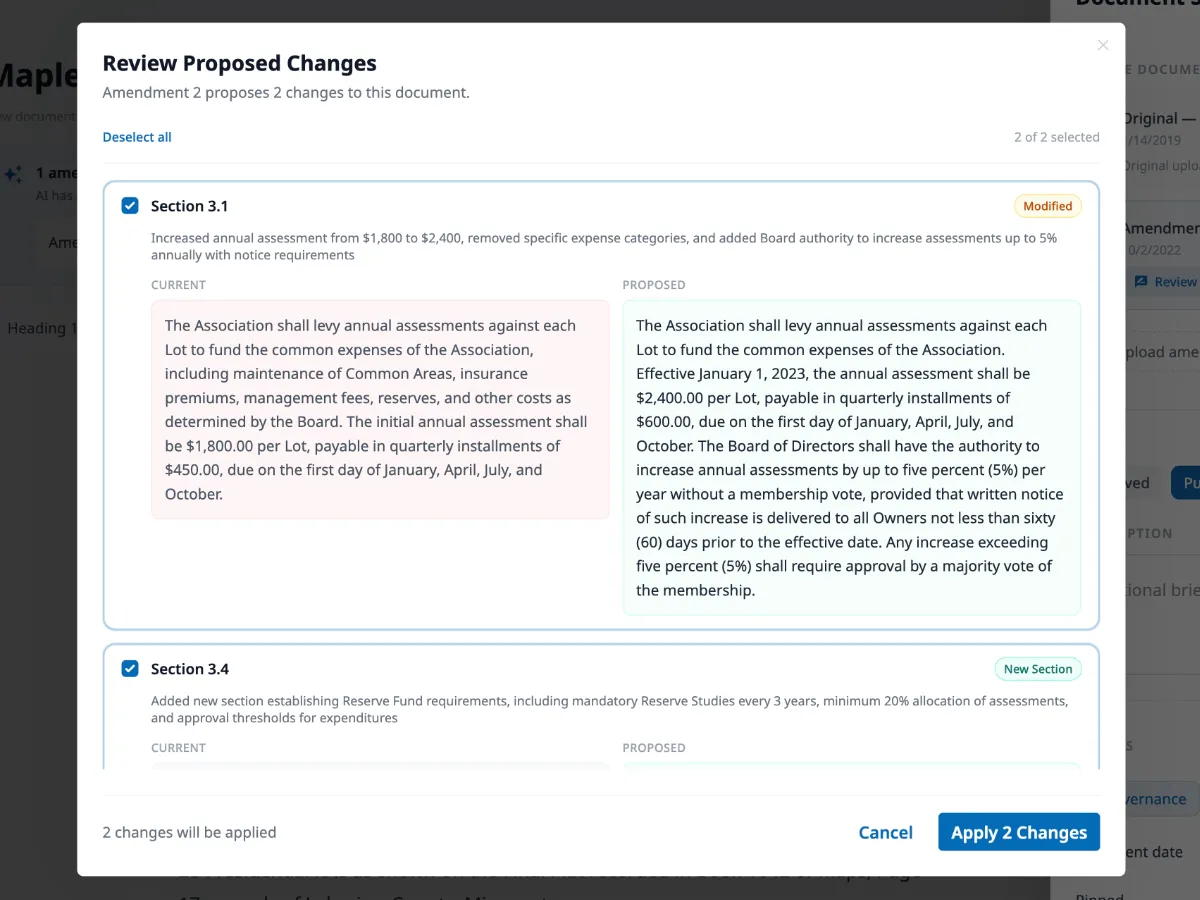
When the board passes an amendment, upload it. HOA Hub's AI compares it against the governing document section by section, shows you exactly what changes, and lets you apply them with a click. The governing document updates automatically and a new version is created — linked to the source amendment.
- Every changed section surfaced — review and approve each one individually. Nothing updates until you say so.
- Admin review and control — side-by-side comparison lets you accept or skip each change individually before anything is applied
- Complete version history — every version is preserved with who changed what, when, and why — and any version can be restored
Document Library
The end of "Can you send me the CC&Rs?"
Organize all community documents into color-coded collections, filter by status, year, or type, and switch between grid and table views. And with EasyAsk AI built in, residents can ask questions like "What's the fence height limit?" and get answers cited directly from your governing documents — without calling the board.
- Collections and filtering — color-coded collections, status filters, and year filters keep every document findable
- EasyAsk AI chat — residents ask plain-language questions and get AI answers with citations from the actual governing documents, right on the document page
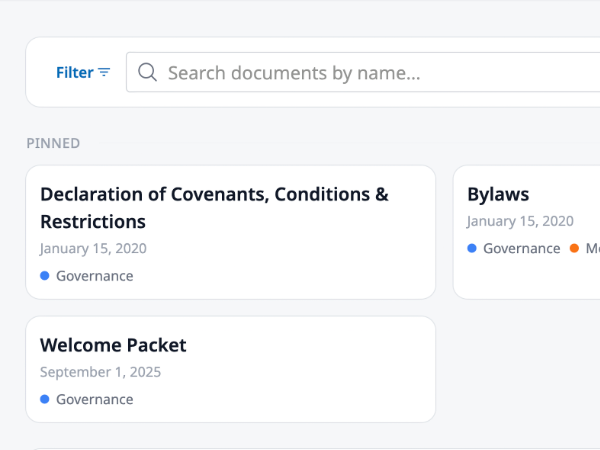
- Pinned documents — pin your most important governing documents so they're always at the top for residents and board members
Built-In Document Editor
A real editor, not a file upload form
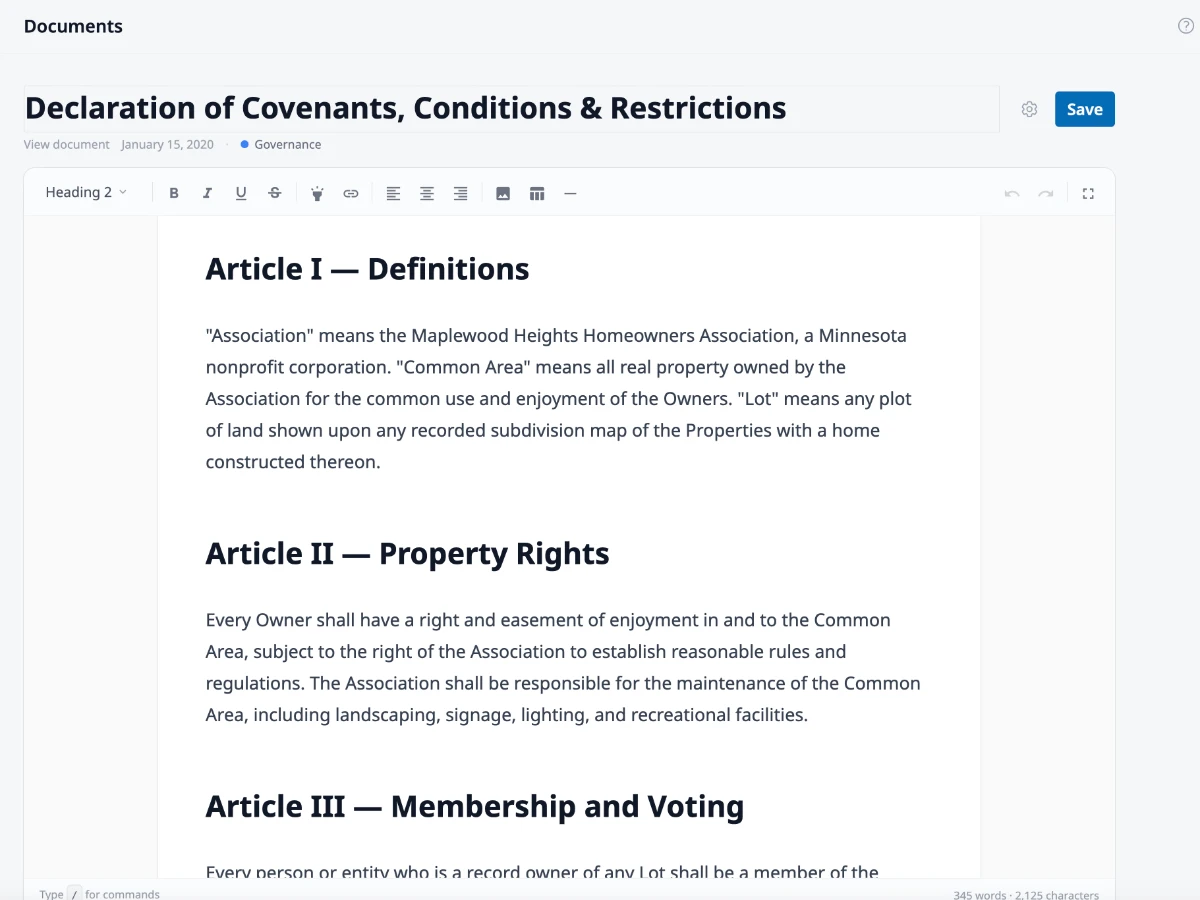
Format your CC&Rs with headings, tables, lists, and images. Type / to insert any block type without leaving the keyboard, select text for a floating formatting toolbar, or expand into fullscreen focus mode for long documents.
- Slash commands and floating toolbar — insert headings, tables, lists, and blockquotes or format selected text without touching the toolbar
- Tables with resizable columns — fee schedules, voting thresholds, and architectural standards stay neatly formatted
- Fullscreen focus mode — distraction-free editing with word and character counts always visible
Your CC&Rs are only as good as the last amendment you applied.
The usual approach
- Amendments filed separately, never merged into the governing document
- Upload a PDF and hope residents find the right version
- Residents call or email the board for every question
- No history of what changed, or why
HOA Hub
- Hand it a scanned original from 1987. Get back a clean, editable document.
- Amendments applied directly to the original — one document, always current
- EasyAsk AI answers resident questions with citations from the actual document
- Full version history: every change tracked with source, description, and date
Clear rules for residents. Less paperwork for the board.
Ready to see it in action?
Create your hub and invite residents in minutes.
No credit card required.
Your documents should answer questions, not create them.
See what your governing documents look like when they actually work.